Invoice Format in Excel (Free & Editable Template)
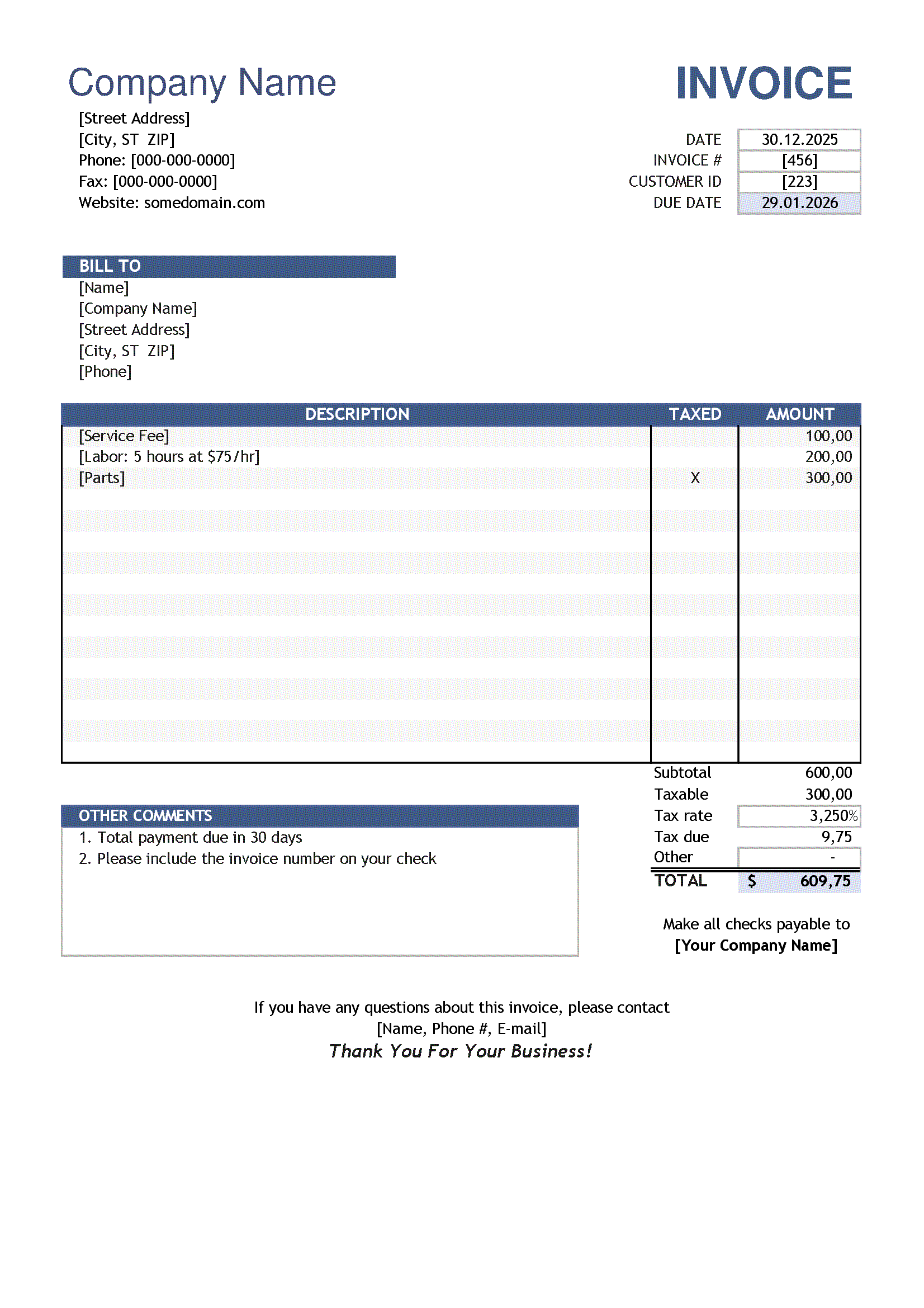
Creating invoices manually takes time and often leads to calculation errors. A well-designed invoice format in Excel solves this problem by automating totals, taxes, and subtotals while keeping the document fully editable.
Our Excel invoice template is suitable for freelancers, small businesses, and companies that need a simple, professional, and reusable invoicing solution. You can download the file instantly or create your invoice online using our smart invoice generator.
Note: This document represents the Excel format of a Standard Invoice.
If you need an overview of when this invoice type should be used or want to choose a different format, please refer to the main Standard Invoice page.
- Standard Invoice PDF – final, non-editable format
- Standard Invoice Word (DOCX) – editable document
- Standard Invoice Excel (XLSX) – automatic calculations
Download Excel Invoice (.XLSX) Edit Invoice Online
Why use an Invoice Format in Excel?
Excel remains one of the most popular tools for invoicing because it combines flexibility with automation. Unlike PDF files, Excel invoices can be easily customized and recalculated.
- Automatic calculation of totals and taxes
- Easy editing of prices, quantities, and descriptions
- Ability to reuse the same template multiple times
- Export to PDF for sending to clients
What is included in this Excel Invoice Template?
Our invoice format includes all essential fields required for professional invoicing:
- Seller’s company name and contact details
- Client information
- Unique invoice number and invoice date
- Itemized list of products or services
- Quantity, unit price, and line totals
- Subtotal, tax, and grand total
- Payment terms and notes
The structure follows international invoicing standards and can be adapted to different countries and tax systems.
How to Create an Invoice in Excel (Step-by-Step)
Step 1. Enter your company details
Add your business name, address, phone number, and email at the top of the invoice.
Step 2. Fill in client information
Specify the customer’s name, address, and contact details.
Step 3. Add products or services
Enter descriptions, quantities, and prices. The template automatically calculates totals.
Step 4. Apply taxes
Use Excel formulas to calculate VAT, GST, or sales tax based on your local requirements.
Step 5. Save or export
Save the file for future use or export the invoice to PDF before sending it to your client.
Excel Invoice vs Online Invoice Generator
While Excel is flexible, it has limitations when used regularly or by teams.
- Excel invoice format: Manual file management, risk of broken formulas, no cloud storage
- FormsDocs Online Generator: Automatic calculations, secure online storage, instant PDF creation, access from any device
For frequent invoicing, our online generator is a faster and safer alternative.
Who should use this Excel Invoice Format?
- Freelancers and contractors
- Small businesses and startups
- Consultants and service providers
- Anyone who needs quick invoices without complex software
Download or Edit Your Invoice Online
You can download the Excel invoice format for free or create your invoice directly in your browser using our online invoice generator. No registration required.
Frequently Asked Questions
Is this Excel invoice template free to use?
Yes, the invoice format is completely free and can be used for commercial purposes.
Can I customize the invoice design in Excel?
Yes. You can change fonts, colors, add your logo, and adjust the layout to match your brand.
Does the template calculate taxes automatically?
Yes. The template includes formulas that automatically calculate subtotals and taxes.
Can I convert the Excel invoice to PDF?
Yes. You can easily save or export the invoice as a PDF file before sending it to clients.
Is this invoice format suitable for international use?
Yes. The template can be adapted for different currencies and tax systems.