Invoice Format in Word (Free & Editable Template)
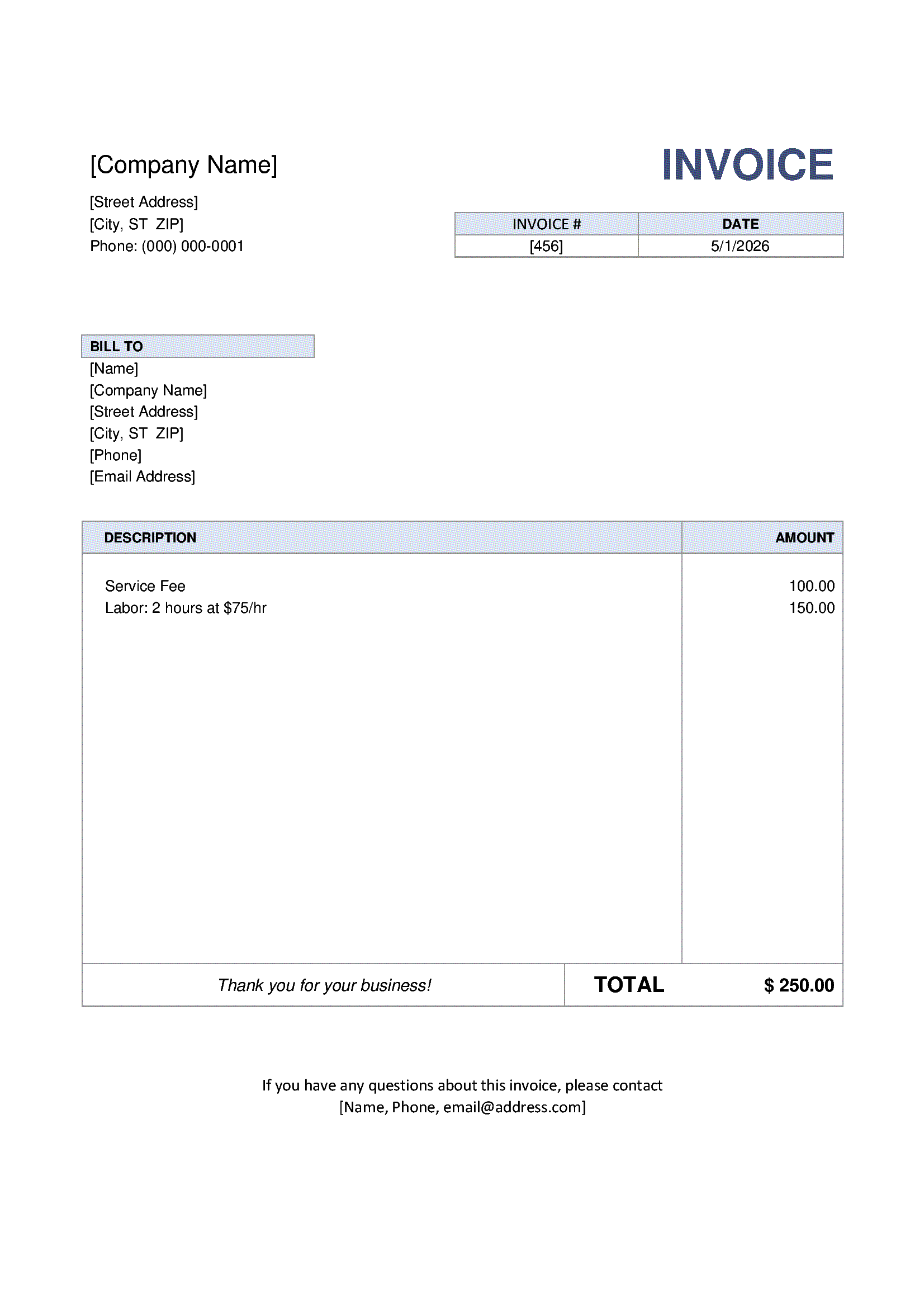
A professional invoice format in Word is the perfect solution if you want full control over the layout and text of your invoice without using complex software. Microsoft Word allows you to easily customize fonts, colors, spacing, and branding.
Our Word invoice template is designed for freelancers, small businesses, and service providers who need a clean, professional invoice that can be quickly edited and reused. You can download the template or create your invoice online in just a few clicks.
Note: This document represents the Excel format of a Standard Invoice.
If you need an overview of when this invoice type should be used or want to choose a different format, please refer to the main Standard Invoice page.
- Standard Invoice PDF – final, non-editable format
- Standard Invoice Word (DOCX) – editable document
- Standard Invoice Excel (XLSX) – automatic calculations
Download Word Invoice (.DOCX) Edit Invoice Online
Why use an Invoice Format in Word?
Microsoft Word is widely used for document creation, making it a familiar and flexible tool for invoicing. Unlike Excel, Word focuses on layout and presentation rather than formulas.
- Easy text editing and formatting
- Full control over invoice design and branding
- Simple logo insertion and layout adjustments
- Compatible with all major versions of Microsoft Word
What is included in this Word Invoice Template?
This invoice format includes all standard elements required for business invoicing:
- Company name, address, and contact information
- Client details
- Invoice number and issue date
- Description of goods or services
- Prices, quantities, and totals
- Tax information (VAT, GST, or sales tax)
- Payment terms and additional notes
The template follows international invoicing practices and can be easily adapted to your local requirements.
How to Create an Invoice in Word (Step-by-Step)
Step 1. Add your business information
Enter your company name, address, phone number, and email in the header section.
Step 2. Insert client details
Fill in the customer’s name and billing address.
Step 3. List products or services
Describe the services or items provided and specify quantities and prices.
Step 4. Add taxes manually
Enter applicable taxes such as VAT or GST based on your local regulations.
Step 5. Save or export the invoice
Save the document or export it as a PDF before sending it to your client.
Word Invoice vs Online Invoice Generator
Word invoices are easy to design but can become inefficient for frequent invoicing.
- Word invoice format: Manual calculations, no automation, file-based storage
- FormsDocs Online Generator: Automatic totals, cloud storage, instant PDF generation
For recurring invoices or growing businesses, the online generator saves time and reduces errors.
Who should use this Word Invoice Format?
- Freelancers and consultants
- Small business owners
- Service-based companies
- Anyone who prefers document-style invoice editing
Download or Edit Your Invoice Online
Download the Word invoice template for free or create and manage invoices online using our invoice generator. No registration required.
Frequently Asked Questions
Is this Word invoice template free?
Yes, this invoice format is free for personal and commercial use.
Can I add my company logo to the Word invoice?
Yes. You can easily insert your logo and adjust its size and position.
Does the Word invoice calculate totals automatically?
No. Totals and taxes must be entered manually in Word. For automatic calculations, consider using Excel or the online generator.
Can I convert the Word invoice to PDF?
Yes. Word allows you to save or export invoices directly as PDF files.
Is this invoice format suitable for international clients?
Yes. The template supports multiple currencies and can be customized for different tax systems.